
Turning an activation gap into a retention engine
Users who set up at least one automation retained at twice the rate of those who didn’t. Yet 80% of that gain was sitting unreached. I redesigned the automation builder from a hidden power feature into the threshold that drove it, then tackled AI onboarding and a full platform migration.
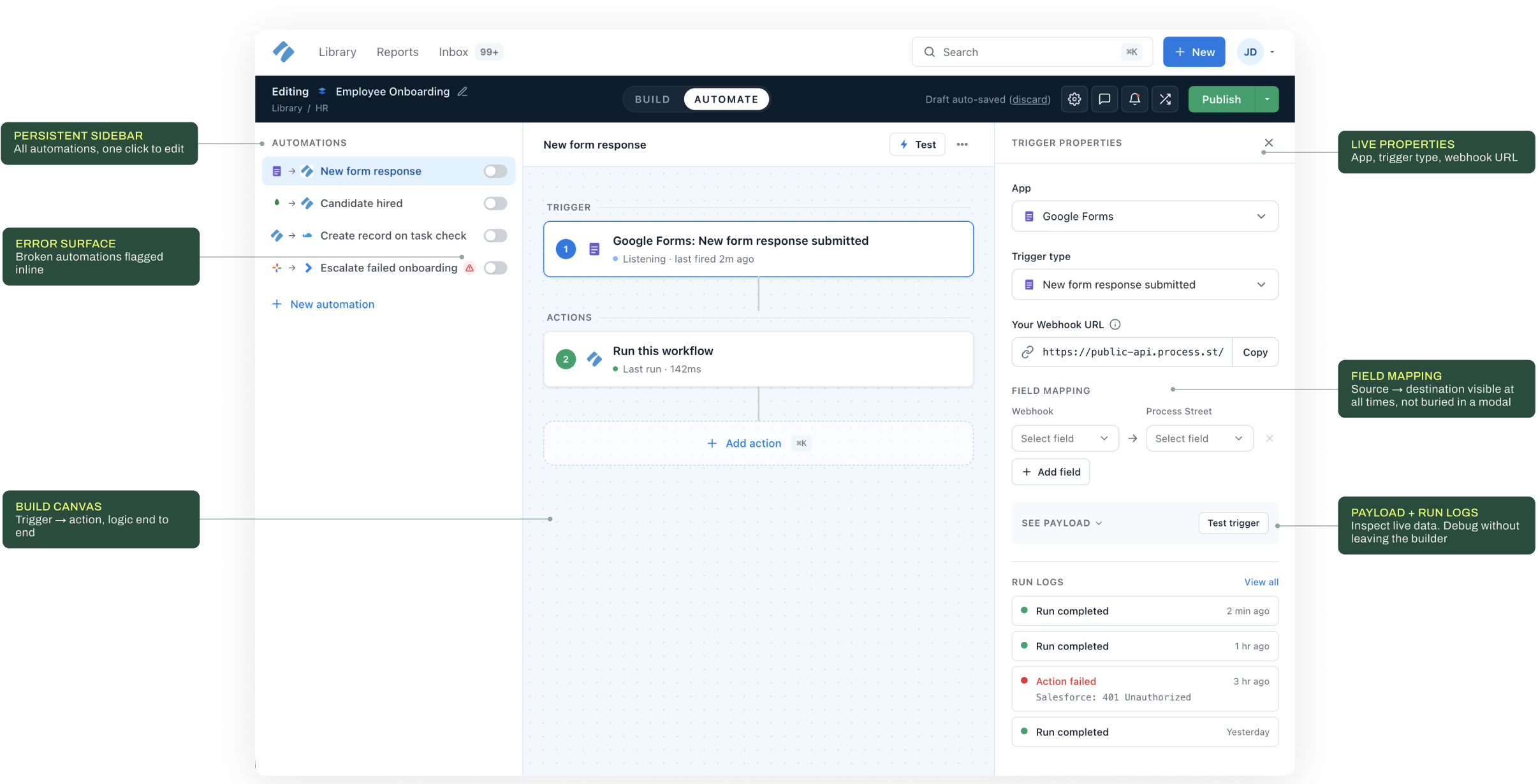
CONTEXT
As a Staff Product Designer
Process Street is a no-code workflow platform used by 500,000+ users at Salesforce, Accenture, and Colliers. Teams build once, run forever — connecting their tools through Automations across Slack, Google Sheets, Salesforce, and 20+ integrations. The three initiatives during my four years I’m most proud of:
- Automations Redesign
- AI-Powered Onboarding
- Reactification.
All three traced back to the same problem: the product wasn’t getting users to the moments that made them stay.
I worked end-to-end, from research and strategy through to shipped code. I contributed React components via PRs, worked directly in Storybook, and used Lovable and Claude Code to prototype and validate interactions at speed. Design and engineering weren’t separate tracks.

Where growth met friction
Three problems,
one product to fix.
Automations buried
Three clicks minimum to reach automations. Zero discoverability. 80% of users never knew the feature existed.
Builder caused errors
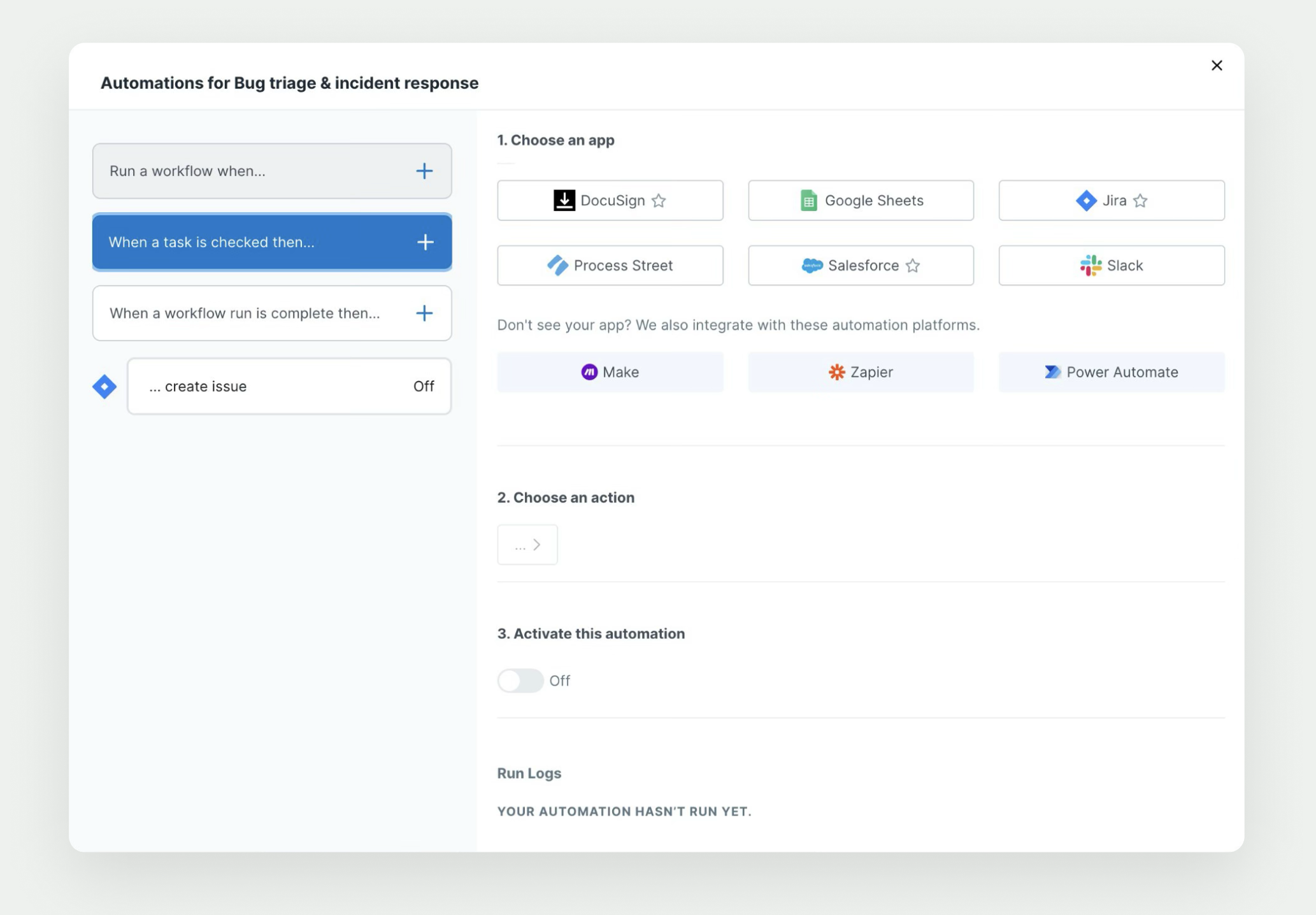
A 3-step modal where 58% abandoned before choosing an action. Field mapping hidden. Modal reset on error, users kept notepads.
Onboarding was generic
New users couldn’t see value quickly. One-size-fits-all ignored intent, slowing activation and increasing drop-off.
Legacy UI slowed delivery
The Angular codebase made every design update a negotiation. Inconsistency across 500K+ active users.
01
The Automations Redesign
Lead Initiative · 5 months · Staff Product Designer
01 · Lead Initiative
The Automations
Redesign

Automation setup was the #2 support topic after billing. CS was surfacing it at renewals. A competitor shipped a canvas builder, not to match it, but to beat it. I used that window as a forcing function to get the project prioritised.
What we measured before
2.3 min |
Average time finding the right app and trigger — 40% of total setup time |
58% |
Reached step 2. Most exits happened before an action was ever chosen |
34% |
Of accounts had at least one silently broken automation |
3 clicks |
Minimum to reach automations. Zero discoverability for new users |
0 |
Run logs visible before save. No way to verify config |
Before
Old 3-step modal: flat app grid, empty action, no run logs

Design challenge
The Automations
Redesign
The same UI had to feel guided for a non-technical ops manager and fully capable for a platform engineer building API integrations. That’s a product architecture problem — solved before a single pixel.
I ran 28 interviews across ops, HR, and engineering roles, mined 6 months of support tickets, and built a funnel from entry to first successful run. The 58% drop before step 2 was invisible without the funnel analysis.

Research · The human moment
”“I keep a notepad next to my screen. The modal resets if you make an error, so I write the config down and re-enter it.”
Power user · research session #7 of 12

What I believed before we started
Three hypotheses
to test and measure.
Hypothesis A1
01. Contextual layout reduces errors
IF trigger + action + mapping visible at once
THEN misconfiguration drops — full logic visible at once, not spread across three sequential steps.
Signal: 34% of accounts had silent broken automations
Hypothesis A2
02. Discoverability drives activation
IF automations become a primary nav destination
THEN activation increases — much of the gap is users not knowing the feature exists.
Signal: 3 clicks minimum to reach automations
Hypothesis A3
03. Complexity scales with confidence
IF power stays visible as users build
THEN multi-step adoption grows — progressive power, not gradual hiding.
Signal: 80% of automations were single-action
Design process · 1 month · 9 interviews · 6 concepts → 1 shipped direction

Explorations
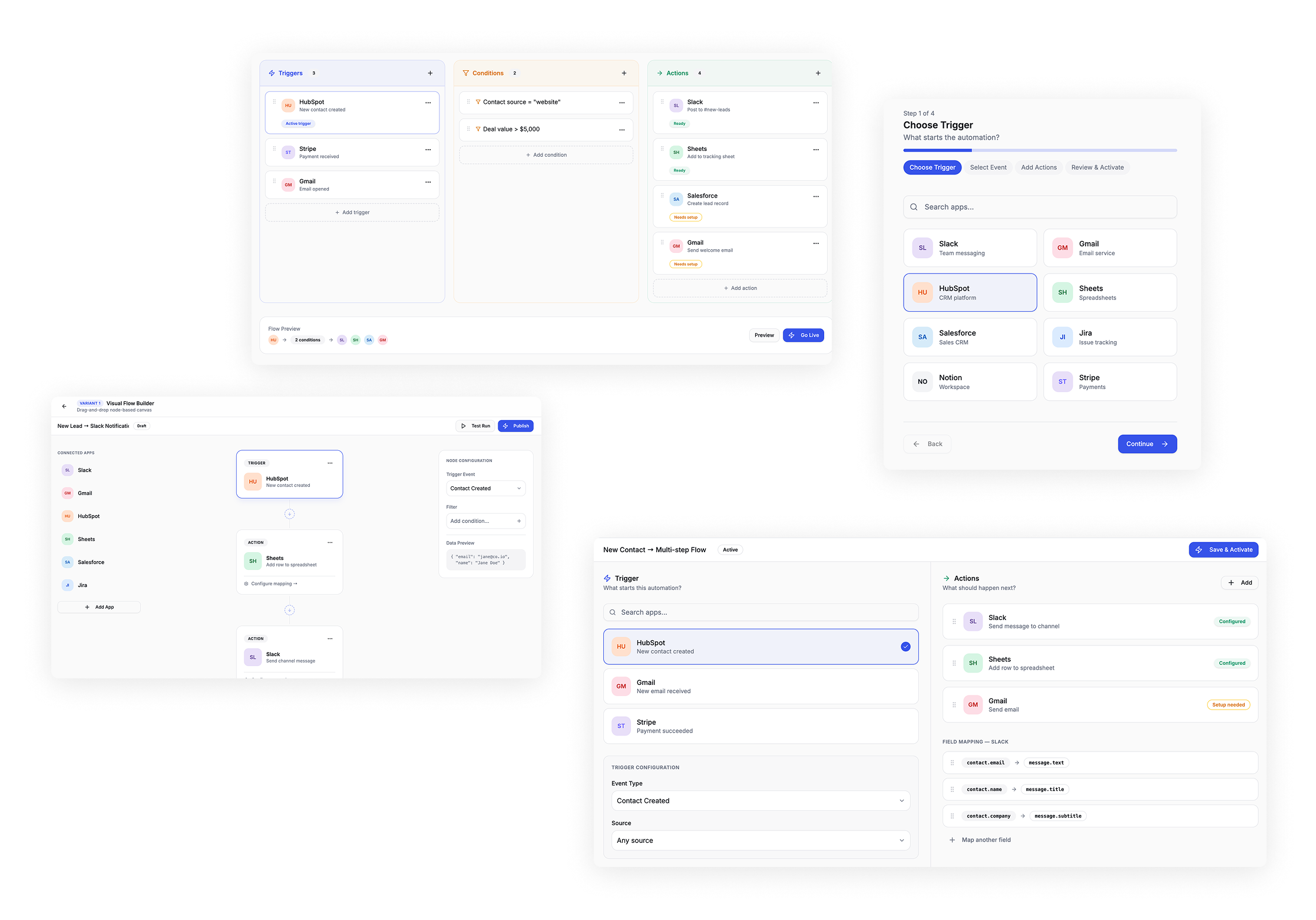
Four directions — Visual Flow Builder chosen, three rejected

Before / After
Three blind steps to a result
you couldn't verify.
Task: connect a Google Forms trigger and map 2 fields. Same user, same goal.

Before: 3-step modal · field mapping hidden · 58% drop-off → After: contextual canvas · all logic visible · +31% activation

Clear Wins for Adoption & Experience
These efforts drove significant improvements in product adoption, efficiency, and engagement
«Indiana’s leadership was exceptional, guiding the team from concept to execution and delivering outstanding results.»
Higher first-week retention among AI users.enhancing consistency and accelerating delivery.
Improved workflow usability and navigation satisfaction, tracked via NPS and surveys.
Positive feedback from power users on the balance between modernization and familiarity.
11
increase in workflow creation after AI rollout
18
lift in new-user activation for those exposed to AI onboarding
”Users praised AI for being “helpful but not intrusive”, and appreciated the combination of speed, clarity, and control.
Design Leadership in Action
Beyond the AI & Workflow Redesign Projects
- Led UX Strategy: Owned end-to-end design for AI-driven workflows, task creation, and onboarding experiences, aligning vision with measurable business goals.
-
Modernized Core Product: Redesigned workflow navigation, interactions, and migrated from Angular to React to improve usability, scalability, and consistency.
-
Integrated AI into Product: Designed AI-powered features that generate workflows and tasks, personalize onboarding, and accelerate adoption—all while maintaining transparency and user control.
-
Mentored & Guided Team: Supported designers and product team members, providing guidance on UX decisions and best practices.
-
Cross-Functional Collaboration: Partnered with PMs, VP of Product, Director of Engineering, and engineers to balance ambition with feasibility.
-
Design System Leadership: Implemented and evolved a design system to ensure consistent visual language and reusable components across the product.
-
Research, Testing, & Iteration: Ran user research, prototyping, and iterative design loops to validate features and ensure alignment with user needs.
-
Influenced Product Strategy: Contributed to roadmap planning and product vision, ensuring design decisions were closely tied to business objectives.

Lessons from the Field
This project highlighted the delicate balance between automation and trust. Users embrace AI when it’s transparent, editable, and supportive, not when it feels like a black box. Similarly, redesigning core workflows requires respecting familiar patterns while introducing clarity and consistency.
If I could revisit one piece, I would invest earlier in AI-specific content design, ensuring tone and messaging built trust from the start.
Explore More
Explore More
Explore More
Explore More
Centralizing Insights: A Unified Research Repository for EnjoyHQ
Centralizing Insights: A Unified Research Repository for EnjoyHQ
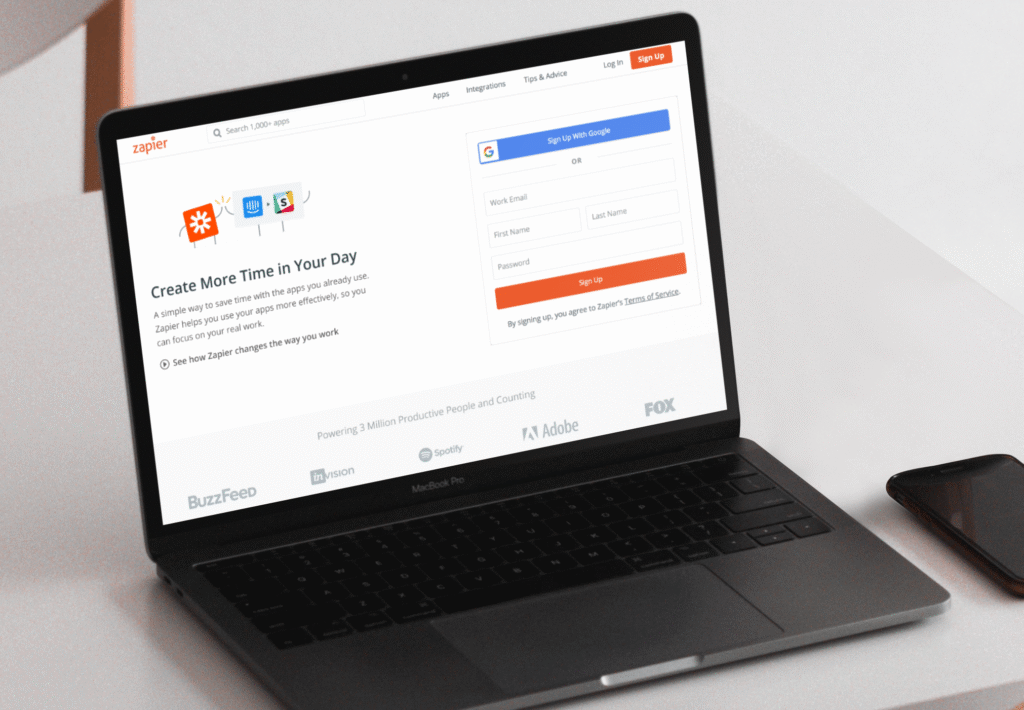
Redefining Zapier Onboarding for Growth